Werden Sie das Hotel der Wahl für Firmenkunden
Treten Sie HRS bei und präsentieren Sie sich internationalen Fortune 500-Unternehmen. Erhalten Sie Zugang zu über 3.000 Reiseprogrammen mit 180 Millionen Übernachtungen pro Jahr. Für alle Segmente – von Einzelbuchungen über Langzeitaufenthalte bis hin zu Gruppenreisen und Tagungen.







Vorteile
So profitieren Hotels von HRS
Sie fragen sich, warum Sie zu uns kommen sollten? Hier sind einige gute Gründe:

Zugang zu Firmenkunden
Zeigen Sie sich Topkonzernen weltweit über unsere Technologie. Erscheinen Sie als Partner in den größten Geschäftsreiseprogrammen. In jedem Segment – von kurzfristigen Buchungen bis hin zu Meetings, Langzeitaufenthalte und Gruppenreisen.

Nachhaltigkeit wird belohnt
Steigern Sie Ihre Sichtbarkeit bei führenden Corporate-Kunden durch das ISO-zertifizierte Green Stay Programm.Teilen Sie nachweisbare Nachhaltigkeitsdaten und positionieren Sie Ihr Hotel als bevorzugten Partner in globalen RFP-Prozessen.
Einfache Bezahlung
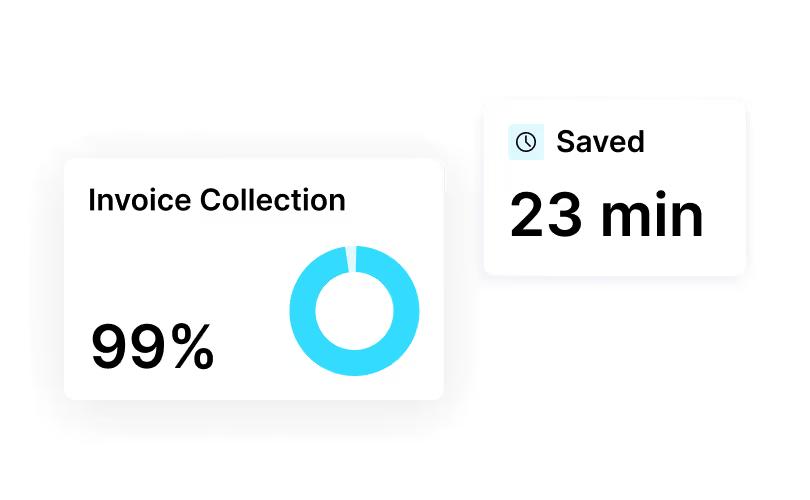
Bieten Sie mit HRS endlich die Zahlungsarten an, die Geschäftsreisende erwarten: virtuelle Kreditkarten und automatisierte Rechnungsstellung. Weltweit abgewickelt in über 220 Ländern. Wenig Aufwand für Ihr Team, schnelle Bezahlung für Sie und zufriedene Gäste auf Knopfdruck.

Verbesserte Performance
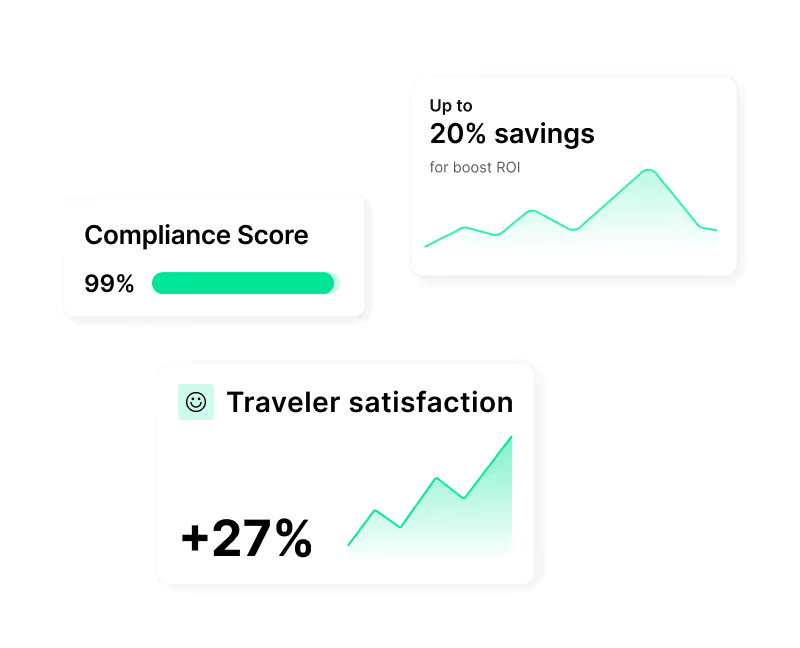
Sehen Sie in globalen RFPs, wie Ihr Hotel im Vergleich zu anderen Häusern abschneidet. Erkennen Sie, wo Sie Buchungen verlieren – und was Sie stark macht. So verbessern Sie Ihre Zusagenquote und können eine bessere Auslastung erzielen.
4 Möglichkeiten für mehr Umsatz
Erfahren Sie hier, wie Sie mehr aus HRS herausholen.

Nehmen Sie an RFPs teil
Bieten Sie bei Ausschreibungen großer Unternehmen mit und platzieren Sie Ihr Hotel direkt in deren Reiseprogramme. Schließen Sie langfristige Verträge ab, sichern Sie sich feste Firmenraten und sorgen Sie für planbaren Umsatz.

Nutzen Sie den Corporate Club
Erreichen Sie mehr Geschäftsreisende mit Ihrem Hotel- und Meetingangebot. Über den Corporate Club wird Ihr Haus in gängigen Buchungstools wie SAP Concur oder Cytric angezeigt – genau dort, wo Unternehmen buchen. Das sorgt für mehr Sichtbarkeit und bessere Auslastung.

Vermarkten Sie Meetingräume
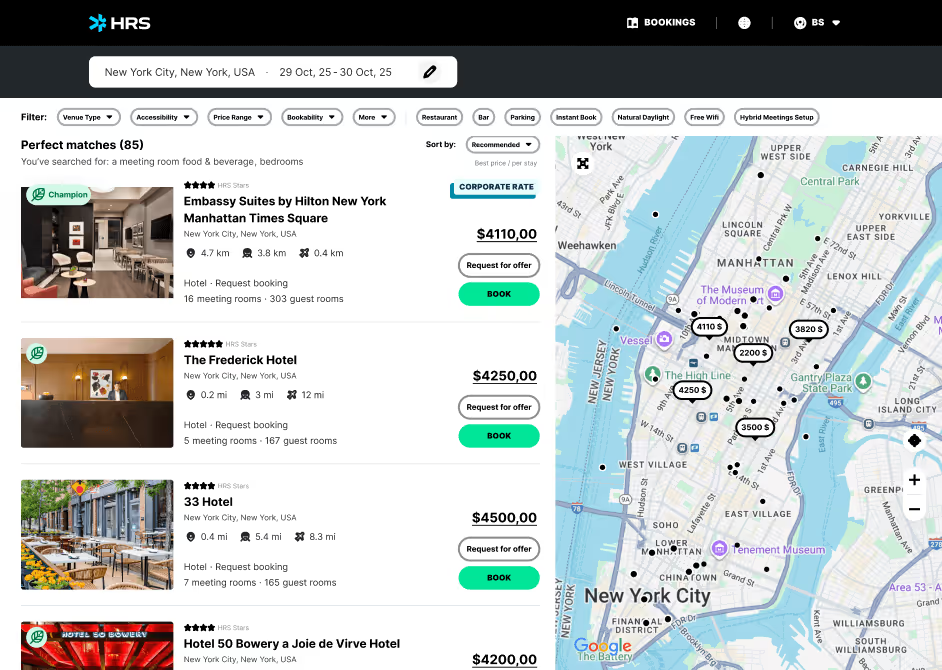
Zeigen Sie führenden Unternehmen all Ihre Tagungsräume – über HRS Connect. Laden Sie Ihre Informationen einmal hoch und unsere KI übernimmt den Rest. So sind Sie in all den Systemen vertreten, in denen Firmen nach Veranstaltungsorten suchen. Für mehr Anfragen.

Punkten Sie mit Nachhaltigkeit
Mit Green Stay werden Sie von Unternehmen gefunden, denen Klimaschutz wichtig ist. Teilen Sie Ihre Emissionsdaten und helfen Sie großen Marken, ihre Nachhaltigkeitsziele zu erreichen. Heben Sie sich mit Green Stay von der Masse ab.
Was Hotels erfüllen müssen
Bereit für eine Partnerschaft mit HRS? Mit diesen Voraussetzungen stellen Sie sicher, dass Ihr Hotel für globale Firmenkunden buchbar ist.

Compliance einhalten
Als Partner muss Ihr Hotel die rechtlichen, sicherheitsrelevanten und datenschutzrechtlichen Anforderungen internationaler Unternehmen einhalten. Inklusive Sorgfaltspflicht, Tarifzuverlässigkeit und DSGVO-Konformität. Nur so eignen Sie sich für Firmenreisen.

Verfügbarkeit und Preise bereitstellen
Sie aktualisieren Ihre Verfügbarkeiten regelmäßig und pflegen ausgehandelte Firmentarife zuverlässig ein. So sorgen Sie dafür, dass alle Systeme dieselben Preise und Inhalte zeigen und Reisende Ihr Hotel jederzeit korrekt buchen können. Auf jedem Kanal.
Nachhaltigkeitsdaten hinzufügen
Teilen Sie Ihre Nachhaltigkeitsdaten über die Green Stay-Plattform und streben Sie dort den Champion-Status an. Dies erhöht Ihre Chancen in Ausschreibungen und passt zu den ESG-Zielen unserer Unternehmenskunden.

Zahlungen und Rechnungen zulassen
Stellen Sie sicher, dass Ihr Hotel gängige Firmenzahlarten wie virtuelle Kreditkarten, Überweisungen oder elektronische Rechnungen akzeptiert. Angepasst an lokale Steuergesetze und den HRS Pay-Standards. Für effiziente Abrechnungen.
Partnerschaft
So unterstützt HRS Hotels

Lernportal
Nutzen Sie umfassende Schulungen, FAQs, Ratgeber und Tutorials, die Ihrem Hotel zum Erfolg verhelfen.
Daten und Analysen
Messen Sie Ihre Leistung, vergleichen Sie sich mit anderen Hotels und nutzen Sie diese Erkenntnisse, um mehr Buchungen zu gewinnen.

Persönliche Beratung
Profitieren Sie von uns als Ihr Ansprechpartner – von der ersten Einrichtung bis zur weiteren Leistungsoptimierung.

Events
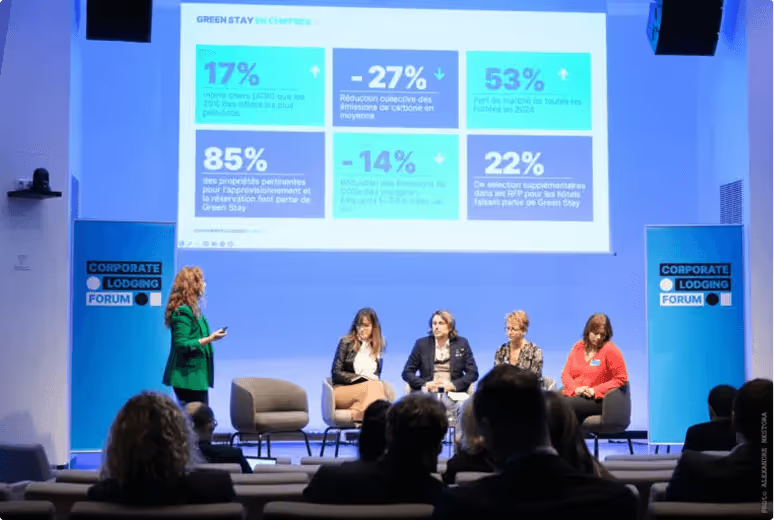
Treffen Sie Branchenführer auf unserem jährlichen Corporate Lodging Partner Summit in Deutschland und auf regionalen Veranstaltungen rundum den Globus. Vernetzen Sie sich mit Kollegen, holen Sie sich Tricks, Tipps und Wege, um Ihr Unternehmensgeschäft auszubauen.

Webinare
Nehmen Sie an Live-Webinaren mit HRS-Experten teil und bleiben Sie den Markttrends voraus. Lernen Sie Best Practices anderer Hotels kennen, erhalten Sie Daten zu Revenue und erfahren Sie, wie Sie das Maximum aus Ihrer Partnerschaft herausholen.
Köln, 2026
Corporate Lodging Partner Summit 2026
Sehen Sie das offizielle Highlight-Video mit den wichtigsten Momenten des diesjährigen Summits in Köln.
Steigern Sie Ihren Hotelumsatz mit HRS
Machen Sie Ihr Hotel für internationale Unternehmenskunden sichtbar. Erhalten Sie Zugang zu 3.000 Reiseprogrammen mit über 180 Millionen Übernachtungen pro Jahr.
Werden Sie Teil unseres globalen Netzwerks und profitieren Sie von Geschäftsreisen als unser geprüfter Hotelpartner.





Erfolgsgeschichten
Warum führende Unternehmen mit uns zusammenarbeiten
Erfahren Sie, wie HRS die Reiseprogramme großer Konzerne verändert.
Der Weg der Würth-Gruppe zum global steuerbaren Travel Framework
Ein Konzern mit über 86.000 Mitarbeitenden in mehr als 80 Ländern, dezentral organisiert, mit gewachsenen Strukturen in jedem Markt. Wie die WSS Würth Shared Services gemeinsam mit HRS trotzdem globale Steuerbarkeit geschaffen hat, zeigt diese Case Study.
.avif)
Förderung nachhaltiger Innovationen im Geschäftsreiseverkehr: Siemens x HRS
Siemens hat sein globales Reiseprogramm durch digitale Transformation, Nachhaltigkeit und strategische Partnerschaft mit HRS neu konzipiert. In diesem Interview erzählte Elisa Amerio, wie Siemens Tools standardisiert, intelligente Technologien integriert und ökozertifizierte Hotels priorisiert hat, um Effizienz, Kundenzufriedenheit und Kostentransparenz zu steigern.

Der Weg zu Net Zero
Die Deutsche Telekom optimierte mit HRS ihr Beherbergungsprogramm: 31 % weniger CO₂ pro Übernachtung, 45 % Kostenersparnis und 95 % Akzeptanz. Green Stay unterstützt klare Klimaziele: –55 % CO₂ bis 2030, Net Zero bis 2040.
.avif)
Der Weg der EnBW AG zur Klimaneutralität
EnBW digitalisierte mit HRS ihr Beherbergungsprogramm: 28 % weniger CO₂, 33 % höhere Akzeptanz und volle Kostentransparenz. KI und Green Stay unterstützen das Ziel, bis 2035 klimaneutral zu werden.

Wie die Deutsche Bahn mit digitalem Personal- und Fahrgastmanagement bis zu 90 % Zeitersparnis erzielte
Die Deutsche Bahn hat ihre veralteten, manuellen Personal- und Fahrgastprozesse durch die Einführung einer durchgängigen digitalen Plattform transformiert – und erzielte dabei bis zu 90 % Zeiteinsparungen, eine Reduzierung der Prozesskosten um 93 % und eine deutliche Verbesserung des Services bei Störungen

Datengestützte Transformation: Wie PwC Italien die Online-Akzeptanz von 91% erreichte
PwC Italien modernisierte mit HRS seinen fragmentierten Hotelbuchungsprozess und schuf ein strukturiertes, automatisiertes Reiseprogramm. Ergebnis: 91 % Online-Akzeptanz, bessere Compliance und messbare Einsparungen.
.avif)
FAQs
Finden Sie Antworten auf all Ihre Fragen.
Wie kann ich die Tarife aktualisieren und die Verfügbarkeit im Portal verwalten?
Klicken Sie auf „Hotel-Self Administration Tool — HSA“ und „Tarife + Verfügbarkeit“. Klicken Sie auf den Kalender, um Tarife hinzuzufügen oder zu bearbeiten. Geben Sie die Gültigkeit des Tarifs ein und er wird sofort angewendet. Wenn Sie die Verfügbarkeit schließen möchten, klicken Sie auf die Anzahl der Zimmer in der grünen Farbe, wählen Sie die Daten aus und klicken Sie auf „Schließzeitraum“. Informationen zur Verfügbarkeit finden Sie weiter unten unter „Verfügbarkeit öffnen oder erneut öffnen“.
Was ist HRS und wie unterscheidet es sich von anderen Buchungsplattformen und OTAs?
HRS verbindet Hotels mit Geschäftsreiseprogrammen. Wir konzentrieren uns auf ausgehandelte Unternehmensnachfragen, gesetzeskonforme Zahlungen (einschließlich VCC) und durchgängige Automatisierung (Buchung → Zahlung → Rechnung → Ausgaben). HRS deckt neben vorübergehenden Aufenthalten auch mehrere Segmente ab, darunter Langzeitaufenthalte, Besprechungen und Gruppen.
Wie kann ich Buchungen im Bereich Buchungsübersicht einsehen, ändern oder löschen?
Klicken Sie auf „Buchungen“ und „Buchungsübersicht“. Suchen Sie nach Anreisezeitraum, Buchungsdatum oder Buchungsnummer.
- Bevorstehende Reservierung: Klicken Sie auf das Augensymbol, um sie zu ändern
- Nach der Ankunft: Bleistift zum Ändern oder Papierkorb zum Löschen
Ist das Portal PCI-konform? Wie werden Kartendaten behandelt?
Ja. Kartendetails sind tokenisiert und nur für autorisierte Benutzer sichtbar. Speichern oder teilen Sie niemals Kartendaten außerhalb der sicheren Ansicht.
Wie werde ich HRS Hotelpartner?
Reichen Sie eine Partneranfrage ein. Unser Team bewertet das Geschäftspotenzial und die am besten geeignete Verbindung.
How do I set up or manage blackout dates in the portal?
Click on “Self-Administration Tool – HSA” and “Close Out Dates” to see and manage the calendar. Click on the day you would like to manage and fill out the required fields.
Wie storniere oder ändere ich eine Buchung, nachdem sie erstellt wurde?
Änderungen oder Stornierungen (bei Nichtanreise) sind am nächsten Tag nach der Ankunft und bis zum Ende des Abreisemonats möglich (z. B. Abreise am 22. Dezember → Änderungen/Stornierungen bis 31. Dezember möglich).
HSP-Schritte: Buchungsübersicht → „Ihre Buchungen auf einen Blick“ → Suche nach Vorgangsnummer oder Anreisedatum → Verwenden Sie den Papierkorb, um die gesamte Buchung zu stornieren, oder den Stift, um Nächte/Details zu ändern.
Was ist die HRS Green Stay Initiative?
Eine standardisierte, ISO-zertifizierte Methode zur Erfassung und Bewertung von Nachhaltigkeitsdaten von Hotels, die Käufern hilft, emissionsärmere, gesetzeskonforme Optionen zu wählen und Unterkünfte mit höherer Leistung zu belohnen.
Werden Reisedaten im Rahmen der DSGVO verarbeitet?
Ja. HRS verarbeitet personenbezogene Daten gemäß den geltenden Gesetzen und stellt im Rahmen der Vertragsabwicklung die Datenverarbeitungsbedingungen zur Verfügung.
Wie melde ich mich beim Hotel Service Portal (HSP) an und welche Zugangsdaten werden benötigt?
Bitte besuchen Sie das Hotel Service Portal: https://hotelservice.hrs.com/portal/ , melden Sie sich mit Ihrer HRS Hotelnummer, Ihrem Passwort und Ihrem Nutzernamen (Name oder Initialen der Person, die sich einloggt) an.
Hotelnummer: xxxxx
Passwort: xxxx
Nutzername: (Name oder Initialen der Person, die sich anmeldet)
Für weitere Fragen zögern Sie bitte nicht, uns zu kontaktieren (siehe „Kontakt“ unten auf der Seite).
Wie kann ich die Kontaktdaten eines Gastes abrufen, wenn BookView sie nicht anzeigt?
HSP → Buchungsübersicht → Buchungen → Reservierung suchen → auf das Sprechblasensymbol klicken → einen Grund wählen und eine Nachricht senden. Wenn die Nachricht fehlschlägt (rotes Symbol), wenden Sie sich an unser Call Center. Hinweis: Überprüfen Sie regelmäßig die Buchungsübersicht; es erfolgt keine separate E-Mail-Benachrichtigung. Wenn ein Reisender antwortet, wird die Sprechblase grün.
Wie öffne oder eröffne ich die Verfügbarkeit für bestimmte Daten oder Zimmertypen im Portal?
- Loggen Sie sich ein unter https://hotelservice.hrs.com/portal
- Wählen Sie Hotel-Selbstverwaltung
- Gehe zu „Verfügbarkeit“
- Wählen Sie die zu öffnenden Daten
- Inventar pro Zimmertyp festlegen
- Änderungen speichern
Wie trete ich bei und welche Daten werden benötigt?
Geben Sie Energie-, Wasser- und Abfallkennzahlen und Zertifizierungen an (sofern verfügbar). Uploads auf Kettenebene werden unterstützt. Weitere Informationen finden Sie hier.
Kann ich zusätzliche Benutzerkonten erstellen oder Berechtigungen einschränken (z. B. Kreditkartenzugriff)?
Ja. Bitten Sie Ihren General Manager oder Portaladministrator, Benutzer hinzuzufügen und Berechtigungen festzulegen. Die Rechte zur Anzeige von Kreditkarten müssen ausdrücklich vom PCI-Administrator gewährt werden, bei dem es sich in der Regel um den General Manager handelt.
Wer kann auf Kreditkarteninformationen zugreifen und wie kann ich die Gästekartendaten sicher abrufen?
Nur Benutzer, die vom General Manager mit der Berechtigung zum Zugriff auf Kreditkartendaten definiert wurden, können diese einsehen. Zahlungsanweisungen sind bei Bedarf in der Buchungsbestätigung enthalten. HSP → Buchungsübersicht → Reservierung suchen → Eye/Pencil → Kartendaten anzeigen.
Wie kann ich die Stornierungsbedingungen für meine Tarife ändern oder aktualisieren?
Klicken Sie auf „HSA — Hotel Self Administration“, Sie erhalten die Übersicht „Preise und Verfügbarkeiten“. Wählen Sie im Kalender die Tarife aus, die Sie ändern möchten, und wählen Sie das Datum (oder mehrere Daten von—bis) aus, das Sie ändern möchten. Ändern Sie den Tariftyp in TRADE FAIR RATE. Wenn Sie bereits Sperrdaten eingegeben haben, behalten Sie bitte die Option „Bestehende Abschlussdaten in diesem Zeitraum beibehalten“ bei. Bitte wählen Sie die gültigen Daten und die möglichen Anreisetage aus und definieren Sie die Mindestaufenthaltsdauer (buchbar für einzelne Nächte oder Mindestaufenthalt von XXX Nächten). Im unteren Teil der Übersicht wählen Sie bitte Ihre bevorzugten Stornierungsbedingungen aus. Falls Sie den Service eines Channel Managers nutzen, informieren Sie Ihren Channel Manager bitte darüber, dass Sie die Tarifart geändert haben, damit die Zuordnung aktualisiert werden kann.
Erhalte ich Analysen oder Berichte?
Ja — wir führen Potenzialanalysen durch und unterstützen Hotels aktiv dabei, sie auf dem Unternehmensmarkt zu positionieren. Darüber hinaus können Immobilien auch auf hrs.de für den Vertrieb in der DACH-Region gelistet werden.
Wie kann ich meine Hotelinformationen und die Beschreibung im Portal aktualisieren oder bearbeiten?
Rufen Sie das Hotel Service Portal auf und klicken Sie auf „Hoteldaten“ und „Hoteldatenpflege“. Klicken Sie auf jeden Block, um die erforderlichen Informationen der 9 Bausteine zu vervollständigen. Die Hotelbeschreibung kann in Block #2 (Allgemeine Hotelinformationen) „Stil und Ambiente“ eingegeben werden. Weitere Informationen können unter „Besonderheiten Ihres Hotels“ hinzugefügt werden. Nachdem Sie die „Lage, Umgebung und Attraktionen des Hotels“ sowie „Stil und Ambiente des Hotels“ definiert haben, können diese nur noch geändert werden, indem Sie das Formular „Anfrage ändern“ (Link im Tool verfügbar) ausfüllen und es per E-Mail an senden hotel-descriptions@hrs.com. Unser Team wird dies überprüfen und aktualisieren, falls dies genehmigt wird.
Wie kann ich sicherstellen, dass Buchungen mit gültigen Kreditkarteninformationen garantiert werden?
Die Tarife, bei denen Sie wählen können, ob Sie nur garantierte Buchungen mit Kreditkarteninformationen erhalten möchten, sind „Trade Fair Rate“ und „Weekend Rate“. Melden Sie sich bei HSA an → „Preise und Verfügbarkeiten“ → öffnen Sie den Kalender neben dem Tarif → ändern Sie den Tariftyp in TRADE FAIR RATE → gehen Sie zu „Art der Reservierung“ → wählen Sie „Garantierte Buchungen nur mit Kreditkarte“ → Speichern.
Hinweis: Wenn Sie bereits Sperrdaten eingegeben haben, aktivieren Sie „Bestehende Abschlussdaten in diesem Zeitraum beibehalten“ und füllen Sie alle erforderlichen Felder aus.
Was muss ich tun, wenn die Kreditkarte eines Gastes ungültig ist oder die Daten falsch sind?
Verwenden Sie das Chat-Symbol in der Buchungsübersicht, um den Gast zu kontaktieren. Gäste haben 48 Stunden Zeit, um die Karteninformationen zu aktualisieren.
Wie lade ich Fotos für mein Hotelinserat hoch, ändere oder verwalte sie?
Klicken Sie auf „Hoteldaten“ und „Fotoservice“. Klicken Sie auf „Neues Bild hochladen“, um loszulegen — folgen Sie den Richtlinien für Bilder, um sie erfolgreich hochzuladen, und wählen Sie den Bereich aus, zu dem es gehört. Das System passt es automatisch an, um die Sichtbarkeit in verschiedenen Formaten zu verbessern. Sie können bis zu 50 Fotos hochladen.
HINWEIS: Das Hauptbild kann erst ausgewählt werden, nachdem die Bilder geprüft und genehmigt wurden. Sobald sie genehmigt sind, klicken Sie auf „Bearbeiten“, wählen Sie „Als Hotellistenbild verwenden (new hrs.com)“ und klicken Sie auf „Speichern“.
HINWEIS: Änderungen werden erst am nächsten Werktag sichtbar.
Wie kann ich ausgehandelte Unternehmenstarife (NCR/CCR) einsehen, verwalten oder laden?
Sie können die von Unternehmen ausgehandelten Tarife überprüfen, indem Sie auf „Hotel-Selbstverwaltungstool — HSA“, „Tarife und Verfügbarkeit“ klicken, den Mauszeiger über „Unternehmenstarife“ bewegen und auf „Übersicht der Unternehmenstarife“ klicken. Wenn Sie irgendwelche Probleme haben, wenden Sie sich an ratecomplaint@hrs.com. Wenn Ihr Hotel die Tarife über GDS oder CRS verwaltet, sendet Ihnen unser Team für die Preisvergabe Anweisungen, die Sie befolgen müssen, damit die von Ihrem Unternehmen ausgehandelten Tarife verfügbar sind.
Wie erfolgt die Stornierung einer Buchung und die Benachrichtigung des Gastes?
Wenn die Vorautorisierung fehlschlägt, informieren Sie den Gast über das Portal. Sie haben 48 Stunden Zeit, um die Details zu aktualisieren. HRS akzeptiert keine Stornierung ohne vorherigen Kontakt. Wenn innerhalb von 48 Stunden keine Antwort erfolgt, senden Sie eine Stornierungsanfrage an cancel@hrs.com.
Wie gehe ich mit einem Nichterscheinen um, insbesondere wenn eine Buchung per Kreditkarte garantiert wurde?
Überprüfen Sie die Zahlungsinformationen im Voraus. Nicht realisierte Reservierungen können nicht storniert werden. Wenn die Zahlung direkt im Hotel abgewickelt wurde, ändern Sie die Buchung, falls Sie nicht anreisen.
HSP → Buchungen → Buchungsübersicht → Reservierung öffnen (Auge/Stift) oder löschen (Papierkorb). Sie können die Rechnung auch innerhalb von 7 Tagen im Online-Rechnungsportal korrigieren.
Wie kann ich das Hauptbild für mein Hotelinserat ändern oder aktualisieren?
Um ein neues Hauptbild für Ihr Hotel auszuwählen, melden Sie sich bitte wie folgt bei „Photoservice“ an: Wählen Sie im HRS Extranet „Hoteldaten“ und wählen Sie „Photoservice“. Klicken Sie auf den Button „Bearbeiten“ auf der rechten Seite des jeweiligen Fotos, es erscheint sofort eine Übersicht. Wählen Sie „Als Hotellistenbild verwenden“ und speichern Sie die Änderung. Das neue Foto wird innerhalb von 48 Stunden online als Hauptbild angezeigt. Bei Problemen wenden Sie sich bitte an photo@hrs.com.
Wie kann ich Zimmerkategorien im Portal hinzufügen, bearbeiten oder entfernen?
Klicken Sie auf „Hotel-Self Administration Tool — HSA“ und „Zimmerkategorien“. Klicken Sie auf „Neue zusätzliche Zimmerkategorie eingeben“, geben Sie die erforderlichen Informationen ein und klicken Sie auf „Speichern“.
Wie funktioniert Ratenintegrität bei HRS?
HRS vergleicht gebuchte Tarife mit Ihren vielschichtigen Firmentarifkonditionen, um Unstimmigkeiten zu erkennen und Ihnen so dabei zu helfen, die Gleichheit und die Einhaltung von Verträgen aufrechtzuerhalten.
Wie kann ich im Online-Rechnungsportal auf Rechnungen zugreifen, diese bearbeiten oder korrigieren?
Auf der HSA-Website gibt es einen separaten Bereich, der sich nur auf Rechnungen bezieht, das sogenannte Online Invoice Portal. Um darauf zuzugreifen, wenden Sie sich an collection@hrs.com für ein separates Login/Passwort.
Gehen Sie zu Buchhaltung → E-Mail und Passwort eingeben → Dashboard, um offene Rechnungen anzusehen/zu bezahlen → Details zum Ändern → PDF zum Herunterladen. Ab dem Zeitpunkt, an dem sie dem Portal hinzugefügt wurde, haben Sie 7 Tage Zeit, um eine Rechnung zu korrigieren.
Was sind die Schritte, um eine neue Zimmerkategorie hinzuzufügen, und was muss ich dabei beachten?
- Loggen Sie sich ein unter www.hrs.com/hotelservice
- Wählen Sie die Anwendung Hotel Self-Administration
- Klicken Sie auf „Zusätzliche Kategorien“ → „Neue zusätzliche Kategorie hinzufügen“
- Wählen Sie die Kategorie und legen Sie Zuschläge fest
- Entscheiden Sie, ob Sie die Verfügbarkeit separat verwalten oder eine Verknüpfung zum Standard herstellen möchten
- Wenn Sie einen Channel Manager verwenden, Koordinaten-Mapping
Denken Sie daran: Sie können maximal drei zusätzliche Kategorien mit unabhängiger Verfügbarkeit einrichten (Budgetkategorie ausgeschlossen).
Einzelheiten finden Sie in der Bedienungsanleitung.
Wie kann ich im Hotel Service Portal einen Channel Manager auswählen, verbinden oder entfernen?
Klicken Sie auf „Self-Administration Tool — HSA“ und „Channel Manager“. Suchen Sie Ihren Channel Manager in der Liste und klicken Sie auf den Stift, um ihn auszuwählen (akzeptieren Sie die Teilnahmebedingungen). Um ihn zu entfernen, klicke auf das Papierkorbsymbol und dann auf „Widerrufen“.
Was muss ich tun, wenn ich eine Rechnung nach Ablauf der Frist korrigieren muss?
Bitte wenden Sie sich an collection@hrs.com.
Wie richte ich Frühstücksoptionen ein und gebe an, ob das Frühstück im Preis enthalten oder nicht enthalten ist?
Klicken Sie auf „Hotel-Self Administration Tool — HSA“, „Andere Preise“ und „Frühstück“. Klicken Sie auf „Frühstückstyp hinzufügen“ und füllen Sie die Pflichtfelder aus. Bei der Einrichtung Ihrer Tarife können Sie anhand verschiedener Tarife auswählen, ob das Frühstück im Preis enthalten oder nicht enthalten ist. Wenn das Frühstück nicht im Preis inbegriffen ist und die Zahlungsinformationen direkt im Hotel erhoben und bearbeitet wurden, müssen Sie die Buchung ändern, um anzugeben, ob der Gast gefrühstückt hat oder nicht. Klicken Sie nach dem Anreisetag auf „Buchung“, „Buchungsübersicht“ und suchen Sie nach der Reservierung. Klicken Sie auf das Symbol „Kaffeetasse“, lassen Sie es grün, wenn der Gast gefrühstückt hat, und rot, wenn nicht. Sie können dies auch direkt in Ihrer Rechnung über das Online-Rechnungsportal tun (siehe Abschnitt „Rechnung“ unten). Ab dem Zeitpunkt, an dem sie dem Portal hinzugefügt wurde, haben Sie 7 Tage Zeit, um die Rechnung zu korrigieren.
Werden Updates automatisch synchronisiert, wenn ich einen Channel Manager/CRS/GDS verwende?
Ja. Sobald das Mapping live ist, werden Ihre Tarife/Verfügbarkeiten von Ihrem System übernommen. Stimmen Sie alle Änderungen der Tarife oder Kategorien mit Ihrem Channel Manager/CRS-Anbieter ab.
Welche Schritte muss ich unternehmen, wenn ich eine Zahlungserinnerung erhalte, aber die Originalrechnung nie erhalten habe?
Bitte wenden Sie sich an collection@hrs.com.
Wie konfiguriere und aktualisiere ich die Steuerinformationen für mein Hotel?
Klicken Sie auf „Hotel-Self Administration Tool — HSA“, „Tarife + Verfügbarkeit“ und „Steuern“. Klicken Sie auf „Steuerkonfiguration hinzufügen“, wählen Sie eine Steuer aus dem Drop-down-Menü aus und geben Sie die Informationen zum Betrag oder Prozentsatz ein, die für jeden Fall gelten, und klicken Sie auf „Speichern“.
Was ist TripLink und wie wirkt es sich auf mein Hotel aus?
TripLink erfasst Unternehmensbuchungen außerhalb des Vertriebskanals und synchronisiert sie wieder mit dem Programm. Dabei werden Reiseprofile, Reiserouten und Ausgaben auf einen Blick gespeichert, um die Einhaltung von Vorschriften und Sorgfaltspflichten zu gewährleisten.
Unterstützt HRS virtuelle Kreditkarten (VCC)?
Ja. Für berechtigte Buchungen erhalten Sie ein Einmal-VCC mit autorisiertem Betrag und Gültigkeitszeitraum. In der Gebühr sind nur Artikel enthalten. Für Zusatzleistungen ist die Zustimmung des Reisenden oder eine separate Methode erforderlich.