グローバル企業から選ばれるホテルになりましょう
HRS に入会して、世界中のフォーチュン 500 企業に貴社の資産を紹介しましょう。年間1億8,000万泊分の宿泊実績がある3,000以上の企業向けプログラムにアクセスできます。短期滞在から長期滞在、グループ旅行、会議まで、あらゆるセグメントに適しています。







メリット
HRS と提携する理由
なぜ私たちに参加すべきなのか疑問に思う?収益を迅速に増やすお手伝いをさせてください。

グローバル企業からの予約を受ける
当社のテクノロジーを通じて、世界のF500企業とすぐにつながることができます。一時的な滞在から会議、長期滞在、グループセグメントまで、世界中の企業旅行プログラムを可視化できます。

サステナビリティで目立つ
ISO認定のグリーンステイプログラムを通じて、トップ企業バイヤーへの露出を増やしましょう。検証可能なサステナビリティデータを共有し、貴ホテルをグローバルRFPの優先パートナーとして位置づけましょう。
シームレスな支払いで成り立つ
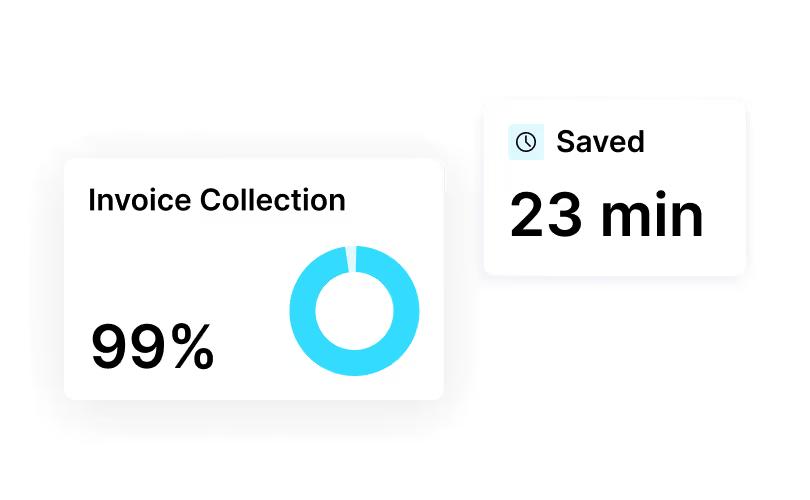
すべてのバーチャルクレジットカードでの支払いと、ビジネス旅行者が期待する自動請求書発行機能を提供します。220 か国で自動的にご利用いただけます。予約数が増え、ゲストの満足度スコアも上がります。

パフォーマンスに関する洞察を得る
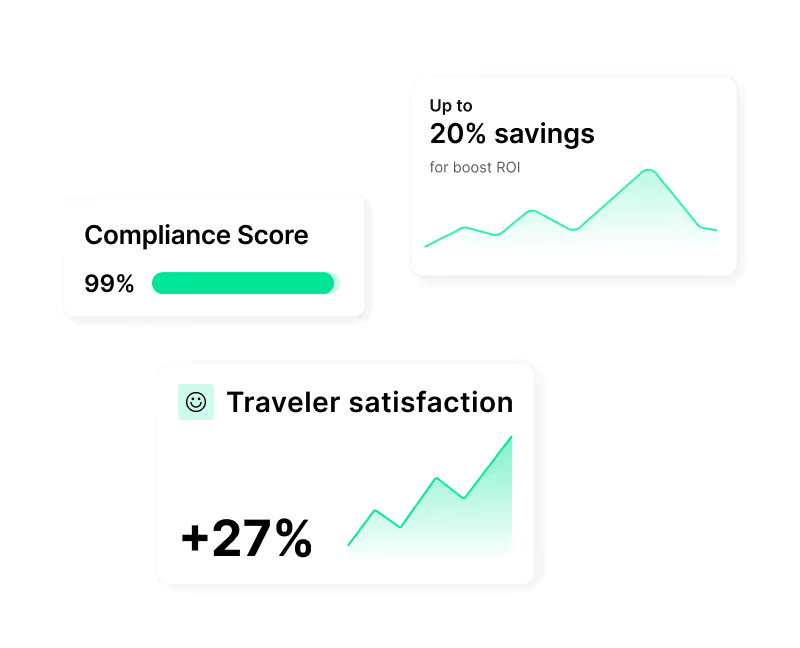
貴施設がグローバルRFP内の他の物件と比較してどのように機能しているかをご覧ください。承認率と確認率を向上させるための実用的なインサイトを入手してください。
収益を最大化する4つの方法
HRS と連携して HRS のグローバルネットワークを通じて法人予約にアクセスする方法については、こちらをご覧ください。

RFP への参加
ホテルを企業プログラムに掲載しましょう。有名企業の年次RFPに参加しましょう。価格、品質、ゲスト満足度、持続可能性に基づいて、長期料金契約を結び、より多くの取引量を獲得しましょう。

コーポレートクラブに入会する
より多くのビジネス旅行者に宿泊施設や会議スペースを提供しましょう。SAP ConcurやCytricなどの主要な予約ツールにホテルが表示されます。コーポレートクラブを利用すると、より早く部屋を埋めることができます。 ここをクリック

会議でのコラボレーション
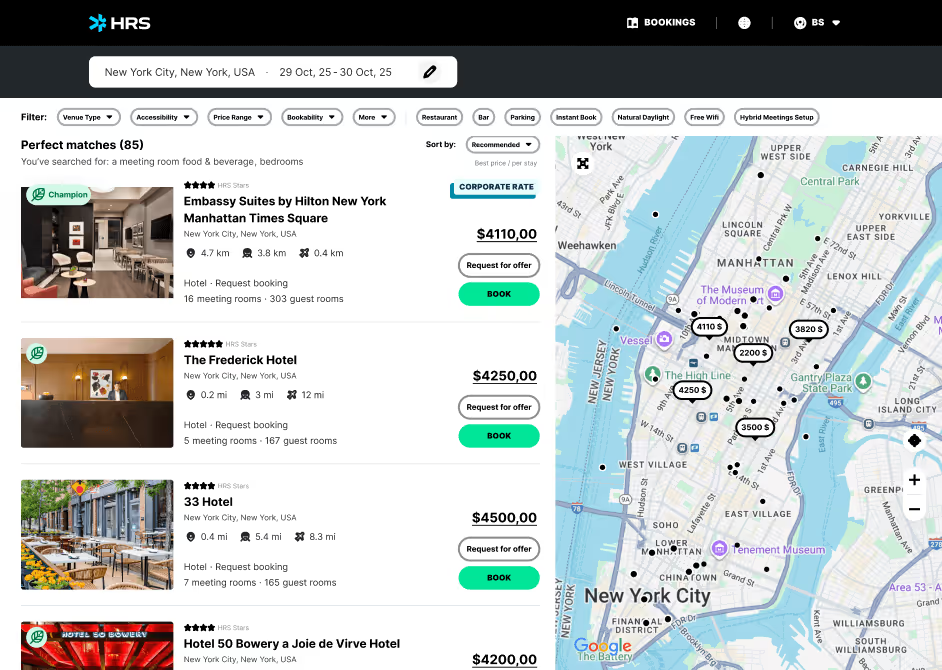
HRS Connect を通じて、貴社の会議スペースをグローバル企業に紹介しましょう。データを一度アップロードするだけで、AI が企業の調達ツールや予約ツール全体を完全に可視化し、会議をより迅速かつスマートに予約できるようになります。

持続可能な滞在を提供する
Green Stayは、貴社のホテルをサステナビリティ目標を明確に掲げている企業の目に留まるようにします。貴社が排出量に関するデータをシェアして目立つようにし、大手ブランドが貴社に滞在することでネットゼロの目標を達成できるよう支援します。
ホテルが提供する必要があるもの
パートナーになる準備はできましたか?HRS に加入するには、ホテルがこれらの要件を満たしている必要があります。

企業コンプライアンスを示す
注意義務、レートインテグリティ、GDPRコンプライアンスなど、グローバルな企業クライアントが必要とするすべての法律、安全、およびデータセキュリティ基準を満たします。これにより、貴施設は企業向け旅行プログラムへの準備が整います。

空室状況と料金を配信
リアルタイムの可用性を提供し、交渉済みの法人料金をロードし、すべてのシステムを同期させます。旅行者にすべてのチャネルで一貫性のある信頼できる予約体験を提供するために、料金の同等性と動的な更新を確保してください。
サステナビリティ情報を追加
Green Stayプラットフォームを通じて検証可能な持続可能性データを共有し、 同業他社と比較してより強力なサステナビリティパフォーマンスを目指す。これにより、企業のRFPの可視性が高まり、貴施設がクライアントのESGや報告目標に沿ったものになるようになります。

支払いと請求を許可
バーチャルクレジットカードまたは銀行振込を受け付け、電子請求書対応のデジタル請求データを提供します。支払いプロセスが現地の税法と HRS Pay 基準に準拠していることを確認して、スムーズな財務ワークフローを実現してください。
パートナー支援
HRS がホテルをサポートする方法

ナレッジハブ
貴施設が企業で成功するために役立つトレーニング、FAQ、ガイド、チュートリアルにアクセスできます。


[イベント]
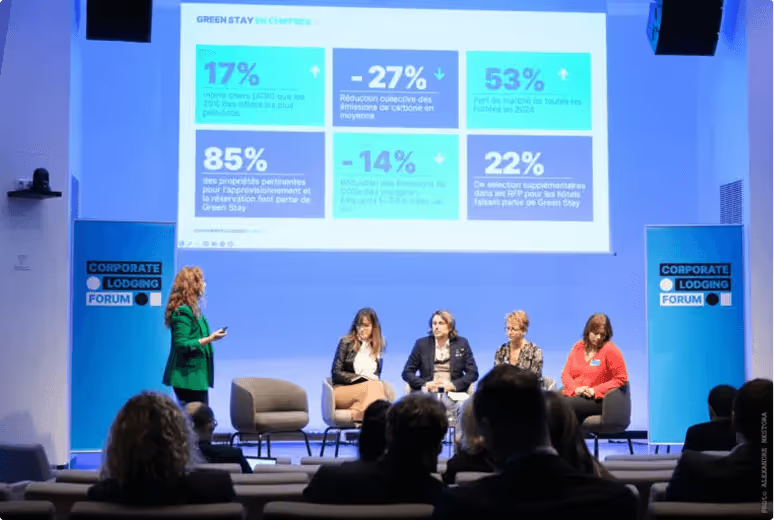
ドイツで毎年開催されるコーポレート・ロッジング・パートナー・サミットや世界中の地域イベントで、業界のリーダーたちと交流しましょう。仲間とネットワークを築き、ベストプラクティスを学び、企業ビジネスを成長させるための新しい方法を発見しましょう。

HRS でホテルの収益を増やす準備はできていますか?
世界最大の企業バイヤーに会場を案内しましょう。HRS と提携すれば、毎年 1 億 8 千万泊以上の客室泊数を調達して、3,000 件以上の企業旅行プログラムに参加できます。HRS エコシステムの一員であれば、プラットフォームに参加するだけでなく、フォーチュン 500 企業の信頼できるサプライヤーが集まるグローバルコミュニティに参加することになります。





成功事例
大手企業が当社と提携する理由
HRS が世界の大企業の旅行をどのように変えているかをご覧ください。
Driving Sustainable Innovation in Business Travel: Siemens x HRS
Siemens is reshaping its global travel program through digital transformation, sustainability, and strategic partnership with HRS. In this interview, Elisa Amerio shares how Siemens standardized tools, integrated smart technology, and prioritized eco-certified hotels to boost efficiency, traveler satisfaction, and cost transparency.


The Road to Net Zero
Deutsche Telekom partnered with HRS to build a more efficient and sustainable lodging program. Using HRS’ digital platform and Green Stay Initiative, the company achieved a 31% reduction in CO₂ emissions per room night, 45% cost avoidance, and 95% online adoption. With clear goals to cut CO₂ emissions by 55% by 2030 and reach net zero by 2040, Deutsche Telekom continues advancing sustainable corporate travel.
.avif)

Data-Driven Transformation: How PwC Italy Reached 91% Online Adoption
PwC Italy overhauled its fragmented hotel booking process by partnering with HRS to build a structured, automated, and insight-based travel ecosystem. The initiative achieved 91% online adoption, streamlined compliance, and delivered measurable savings through data-driven transformation.
.avif)

EnBW AG’s path to climate neutrality
EnBW AG partnered with HRS to digitize and automate its lodging program using AI-powered insights and sustainable hotel prioritization. Through the Lodging-as-a-Service platform and the Green Stay Initiative, the company reduced CO₂ emissions by 28%, increased program adoption by 33%, and gained full transparency over lodging spend — supporting its goal of becoming climate-neutral by 2035.


Global strategic lodging procurement, sustainability & enhanced adoption
Groupe Adeo partnered with HRS to centralize procurement, increase program adoption, and reduce travel-related emissions. Through end-to-end lodging management, improved payment solutions, and sustainability-focused processes, the group achieved significant cost avoidance, an 84% adoption rate, a 10% CO₂ reduction per room night, and 98% VCC acceptance.
.avif)

How Ströer achieved 94% Hotel Program Adoption with HRS
Ströer partnered with HRS to relaunch its hotel travel management with an end-to-end platform that centralized spend, increased transparency, simplified booking and payment, and boosted compliance. The company achieved 94% online adoption, 7.5% savings, 97% digital payment adoption, and strong sustainability and quality metrics across its lodging program.
.avif)
.avif)
よくある質問
すべての質問に答えました。
Rates, Availability, Corporate Rates & Connectivity
How can I update rates and manage availability in the portal?
Click on “Hotel-Self Administration Tool – HSA” and “Rates + Availability”. Click on the calendar to add or edit rates. Enter the rate validity and it will immediately be applied. If you would like to close availability, click on the number of rooms in green, select the dates and click on “Close-out period”. If you’d like to open availability, see below “Open or reopen availability”.
Getting Started with HRS & Portal Access
What is HRS and how is it different from other booking platforms and OTAs?
HRS connects hotels with enterprise travel programs. We focus on negotiated corporate demand, compliant payments (incl. VCC), and end-to-end automation (booking → payment → invoice → expense). HRS also covers multiple segments beyond transient including longstay, meetings and groups.
Booking Management, Payments, Invoicing & Guest Communication
How can I view, amend, or delete bookings in the Booking Overview section?
Click on “Bookings” and “Booking Overview”. Search by arrival period, booking date, or booking number.
- Upcoming reservation: click the eye icon to amend
- After arrival date: pencil to amend or trash to delete
Compliance, Performance, Reporting & Support
Is the portal PCI-compliant? How is card data handled?
Yes. Card details are tokenized and visible only to authorized users. Never store or share card data outside the secure view.
Getting Started with HRS & Portal Access
How do I become an HRS hotel partner?
Submit a partner request. Our team will assess the business potential and the best suited connection.
Rates, Availability, Corporate Rates & Connectivity
How do I set up or manage blackout dates in the portal?
Click on “Self-Administration Tool – HSA” and “Close Out Dates” to see and manage the calendar. Click on the day you would like to manage and fill out the required fields.
Booking Management, Payments, Invoicing & Guest Communication
How do I cancel or modify a booking after it has been created?
Changes or cancellations (in case of no show) are possible the next following day after arrival and by the end of the month of departure date (e.g., check-out on 22nd December → changes/cancellation possible until 31st December).
HSP steps: Booking Overview → “Your bookings at a glance” → search by process number or arrival date → use trashcan to cancel entire booking or pencil to modify nights/details.
Meetings, Long Stay & Sustainability (Green Stay)
What is the HRS Green Stay Initiative?
A standardized, ISO-certified method to collect and score hotel sustainability data—helping buyers choose lower-emission, compliant options and rewarding higher-performing properties.
Compliance, Performance, Reporting & Support
Is traveler data processed under GDPR?
Yes. HRS processes personal data under applicable laws and provides data processing terms as part of contracting.
Getting Started with HRS & Portal Access
How do I log in to the Hotel Service Portal (HSP) and what credentials are needed?
Please visit the Hotel Service Portal: https://hotelservice.hrs.com/portal/ , log in with your HRS hotel number, password and your username (name or initials of the person who log in).
Hotel number: xxxxx
Password: xxxx
Username: (name or initials of the person who logs in)
For any further questions please do not hesitate to contact us (see “contact” at the bottom of the page).
Booking Management, Payments, Invoicing & Guest Communication
How can I retrieve a guest’s contact details if BookView does not display them?
HSP → Booking Overview → Bookings → search reservation → click the speech bubble icon → choose a reason and send a message. If the message fails (red icon), contact our call center. Note: Check Booking Overview regularly; there is no separate email notification. When a traveler replies, the speech bubble turns green.
Rates, Availability, Corporate Rates & Connectivity
How do I open or reopen availability for specific dates or room types in the portal?
- Log in at https://hotelservice.hrs.com/portal
- Select Hotel Self-Administration
- Go to “Availability”
- Select dates to open
- Set inventory per room type
- Save changes
Meetings, Long Stay & Sustainability (Green Stay)
How do I join and what data is needed?
Provide energy, water, waste metrics, and certifications (where available). Chain-level uploads are supported; Learn more here.
Getting Started with HRS & Portal Access
Can I create additional user accounts or limit permissions (e.g., credit card access)?
Yes. Ask your General Manager or portal administrator to add users and set permissions. Credit card viewing rights must be explicitly granted by the PCI Administrator which is usually the General Manager.
Booking Management, Payments, Invoicing & Guest Communication
Who can access credit card information, and how can I retrieve guest card details securely?
Only users defined by the General Manager with permission to access credit card details can view them. Payment instructions are included in the booking confirmation if required. HSP → Booking Overview → search reservation → eye/pencil → view card data.
Rates, Availability, Corporate Rates & Connectivity
How can I change or update the cancellation conditions for my rates?
Click on “HSA – Hotel Self Administration”, you will see the overview “Rates and Availabilities”. Select the rates in the calendar you would like to change, and select the date (or multiple dates from-to) you would like to change. Change the rate type to TRADE FAIR RATE. If you have already entered blocked dates, please retain the “keep existing close out dates in this period.” Please select the valid dates and the possible arrival days and define the minimum stay duration (bookable for single nights or minimum stay of XXX nights). In the lower part of the overview please select your preferred cancellation policy. In case you use the service of a channel manager, please inform your channel manager that you have changed the rate type so the mapping can be updated.
Compliance, Performance, Reporting & Support
Do I get analytics or reporting?
Yes — we perform potential assessments and support hotels actively in positioning them in the corporate marketplace. In addition, properties can also be listed on hrs.de for distribution in the DACH region.
Hotel Content, Rooms, Breakfast & Taxes
How can I update or edit my hotel information and description in the portal?
Access the Hotel Service Portal and click on “Hotel Data” and “Hotel Data Maintenance”. Click on each block to complete the required information of the 9 building blocks. The hotel description can be entered on block #2 (General Hotel Information) “Style of hotel and ambience” and other items can be added on “Special features of your hotel”. Once you have defined the “The hotel location, surroundings and attractions” and “Style of hotel and ambience” they can only be changed by filling the “Change request” form (link available in the tool) and sending it via email to hotel-descriptions@hrs.com. Our team will check and update if approved.
Rates, Availability, Corporate Rates & Connectivity
How can I ensure bookings are guaranteed with valid credit card information?
The rate types that allow you to choose to only receive guaranteed bookings with credit card information are “Trade Fair Rate” and “Weekend Rate”. Login to HSA → “Rates and Availabilities” → open the calendar next to the rate → change the rate type to TRADE FAIR RATE → go to “Type of Reservation” → select “Guaranteed bookings with credit card only” → Save.
Note: If you have already entered blackout dates, check “keep existing closeout dates in this period” and complete all required fields.
Booking Management, Payments, Invoicing & Guest Communication
What should I do if a guest’s credit card is invalid or the details are incorrect?
Use the Chat icon in Booking Overview to contact the guest. Guests have 48 hours to update card info.
Hotel Content, Rooms, Breakfast & Taxes
How do I upload, change, or manage photos for my hotel listing?
Click on “Hotel Data” and “Photo Service”. Click on “Upload new image” to get started – follow the image guidelines to upload them successfully and choose the area it belongs to. The system will automatically adjust it for better visibility in different formats. You can upload up to 50 photos.
NOTE: The main picture can only be selected after the pictures have been checked and approved. Once they are approved, click on “Edit”, select “Use as hotel list image (new hrs.com)” and click on “Save”.
NOTE: Changes will only be visible in the next business day.
Rates, Availability, Corporate Rates & Connectivity
How can I view, manage, or load negotiated corporate rates (NCR/CCR)?
You can check the corporate negotiated rates by clicking on “Hotel Self-Administration tool – HSA”, “Rates + Availability”, hover over “Corporate Rates” and click on “Overview of Corporate Rates”. If you have any issues, contact ratecomplaint@hrs.com. If your hotel manages rates via GDS or CRS our Rate Loading Team will send instructions for you to follow in order to make your corporate negotiated rates available.
Booking Management, Payments, Invoicing & Guest Communication
What is the process for cancelling a booking and notifying the guest?
If pre-authorization fails, inform the guest via the portal. They have 48 hours to update details. HRS will not accept a cancellation without prior contact. If no response in 48 hours, send a cancellation request to cancel@hrs.com.
Booking Management, Payments, Invoicing & Guest Communication
How should I handle a no-show, especially when a booking was guaranteed by credit card?
Check payment info in advance. Unrealized reservations cannot be canceled. If payment was processed directly at the hotel, amend the booking in case of no-shows.
HSP → Bookings → Booking Overview → open reservation (eye/pencil) or delete (trash). You can also correct the invoice in the Online Invoice Portal within 7 days.
Hotel Content, Rooms, Breakfast & Taxes
How can I change or update the main picture for my hotel listing?
To select a new main picture for your hotel, please log into “Photoservice” as follows: Choose “Hotel Data” in the HRS Extranet and select “Photoservice”. Click on the “Edit” button on the right side of the respective photo, an overview will appear immediately. Select “Use as hotel list image” and save the amendment. The new photo will be displayed online as main picture within 48 hours. In case of any issue, please contact photo@hrs.com.
Hotel Content, Rooms, Breakfast & Taxes
How can I add, edit, or remove room categories in the portal?
Click on “Hotel-Self Administration Tool – HSA” and “Room Categories”. Click on “Enter new additional room category”, fill out the required information and click “Save”.
Rates, Availability, Corporate Rates & Connectivity
How does rate integrity work at HRS?
HRS compares booked rates against your loaded corporate rate conditions to flag discrepancies, helping you maintain parity and contractual compliance.
Booking Management, Payments, Invoicing & Guest Communication
How can I access, edit, or correct invoices in the Online Invoice Portal?
There is a separate area of the HSA website only related to invoices called the Online Invoice Portal. To access it, contact collection@hrs.com for a separate login/password.
Go to Accounting → enter email & password → Dashboard to view/pay open invoices → Details to amend → PDF to download. You have 7 days to correct an invoice from the time it is added to the portal.
Hotel Content, Rooms, Breakfast & Taxes
What are the steps to add a new room category, and what should I consider when doing so?
- Log in at www.hrs.com/hotelservice
- Select the Hotel Self-Administration application
- Click “Additional Categories” → “Add New Additional Category”
- Choose the category and set surcharges
- Decide whether to manage availability separately or link to standard
- If using a channel manager, coordinate mapping
Remember: You can set up max. three additional categories with independent availability (budget category excluded).
For details, see the user manual.
Rates, Availability, Corporate Rates & Connectivity
How can I select, connect, or remove a channel manager in the Hotel Service Portal?
Click on “Self-Administration Tool – HSA” and “Channel Manager”. Find your channel manager on the list and click the pencil to select it (accept participation conditions). To remove, click the trash icon and “Revoke”.
Booking Management, Payments, Invoicing & Guest Communication
What should I do if I need to correct an invoice after the deadline has passed?
Please contact collection@hrs.com.
Hotel Content, Rooms, Breakfast & Taxes
How do I set up breakfast options and indicate whether breakfast is included or excluded from the rate?
Click on “Hotel-Self Administration Tool – HSA”, “Other Prices” and “Breakfast”. Click on “Add Breakfast Type” and fill out the mandatory fields. You will be able to select if the breakfast is included or excluded based on different rates when you set up your rates. If breakfast is not included in the rate and the payment information was collected and processed directly at the hotel, you must amend the booking to reflect if the guest had breakfast or not. After the check-in date, click on “Booking”, “Booking Overview” and find the reservation. Click on the “coffee cup” icon, leave it in green if the guest had breakfast and red if not. You can also choose to do it directly in your invoice via the Online Invoice Portal (check the “Invoice” section below). You will have 7 days to correct the invoice from the time it is added to the portal.
Rates, Availability, Corporate Rates & Connectivity
Do updates sync automatically if I use a Channel Manager/CRS/GDS?
Yes. Once mapping is live, your rates/availability flow from your system. Coordinate any rate-type or category changes with your Channel Manager/CRS provider.
Booking Management, Payments, Invoicing & Guest Communication
What steps should I take if I receive a payment reminder but never received the original invoice?
Please contact collection@hrs.com.
Hotel Content, Rooms, Breakfast & Taxes
How do I configure and update tax information for my hotel?
Click on “Hotel-Self Administration Tool – HSA”, “Rates + Availability” and “Taxes”. Click on “Add Tax Configuration”, select a tax from the dropdown and enter the information regarding the amount or percentage that applies to every case and click “Save”.
Rates, Availability, Corporate Rates & Connectivity
What is TripLink and how does it affect my hotel?
TripLink captures out-of-channel corporate bookings and syncs them back to the program—keeping traveler profiles, itineraries and spend in one view for compliance and duty-of-care.
Booking Management, Payments, Invoicing & Guest Communication
Does HRS support Virtual Credit Cards (VCC)?
Yes. For eligible bookings you’ll receive a single-use VCC with authorized amount and validity window. Charge included items only; extras require traveler approval or a separate method.